
See what you keep.
Understand what your orders earn after costs. See what needs attention, ask Billy why, and approve what happens next. Visible cost assumptions. Changes you approve.
Every order, taken apart.
Revenue is what the customer paid. GAINKAT subtracts what that order cost you, including the ads that brought it in, and marks any cost it couldn’t read instead of guessing a zero.
Example order
#4821
Full price, one item
Kept $30.76
- Order revenue$84.00
- Cost of goods−$31.20
- Payment fee−$2.74
- Shipping−$6.90
- Ad spend, attributed−$12.40
- Profit kept$30.76
Working while you run the store.
An assistant, campaign ranking, alerts and Creative Lab, all reading the same profit figures.
Ask Billy
Ask in writing or out loud. Billy answers from figures it looked up in your store, and proposes changes you approve one at a time.
- Retargeting · Carousel4.1×
- Brand search3.6×
- Spring sale · Advantage+3.4×
- Shopping · All products2.1×
Campaigns ranked by profit
Meta and Google Ads spend beside the orders it brought in, matched by your own tracking parameters. A high ROAS can still lose money.
Alerts that keep watch
Spend with no sales, stock run out, costs missing, an ad account that stopped serving.
Every order, as it lands
Orders arrive with their costs already taken off, so the ones losing money show up the day they happen.
Product pages, drafted
Draft a page from a brief and make photos from the pictures already on the product. Nothing goes live until you publish.
What it does, from order to answer.
Landed cost, shipping, fees, refunds and advertising subtracted from what actually reached the bank — so the number on the dashboard is the one worth acting on.
Read more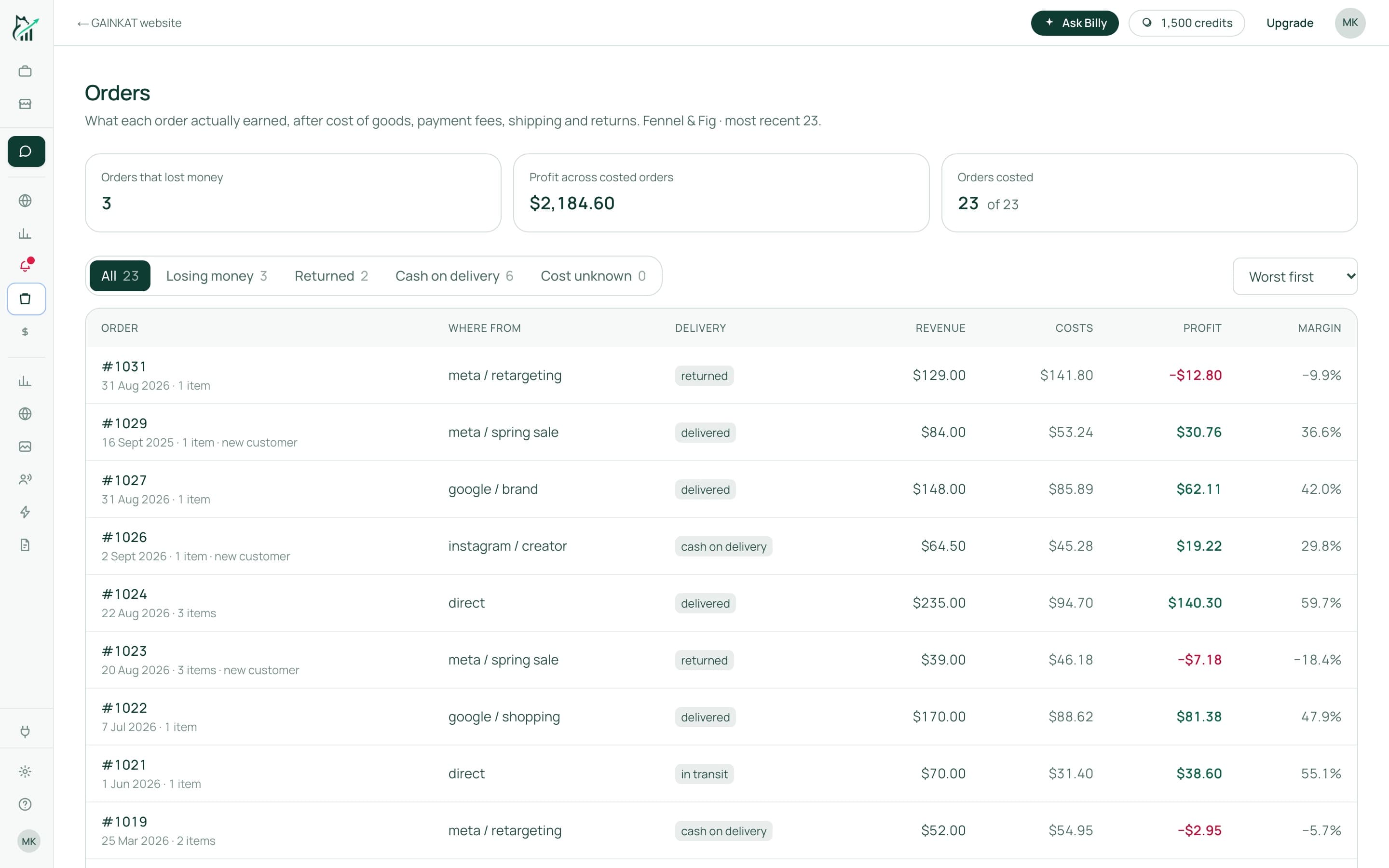
Built for how you sell.
Shopify stores that run their own ads, ship their own orders and decide their own prices.
What we connect to, and why
See it on your own orders.
We'll walk through your store's real numbers with you and show you which orders, products and campaigns make money.