
Product pages, written and photographed.
Creative Lab checks every listing in your catalogue against what a product page needs, drafts the fix, and makes new product photos from the pictures already on the product. Nothing reaches your storefront until you publish it.
gainkat.com/dashboard/creative
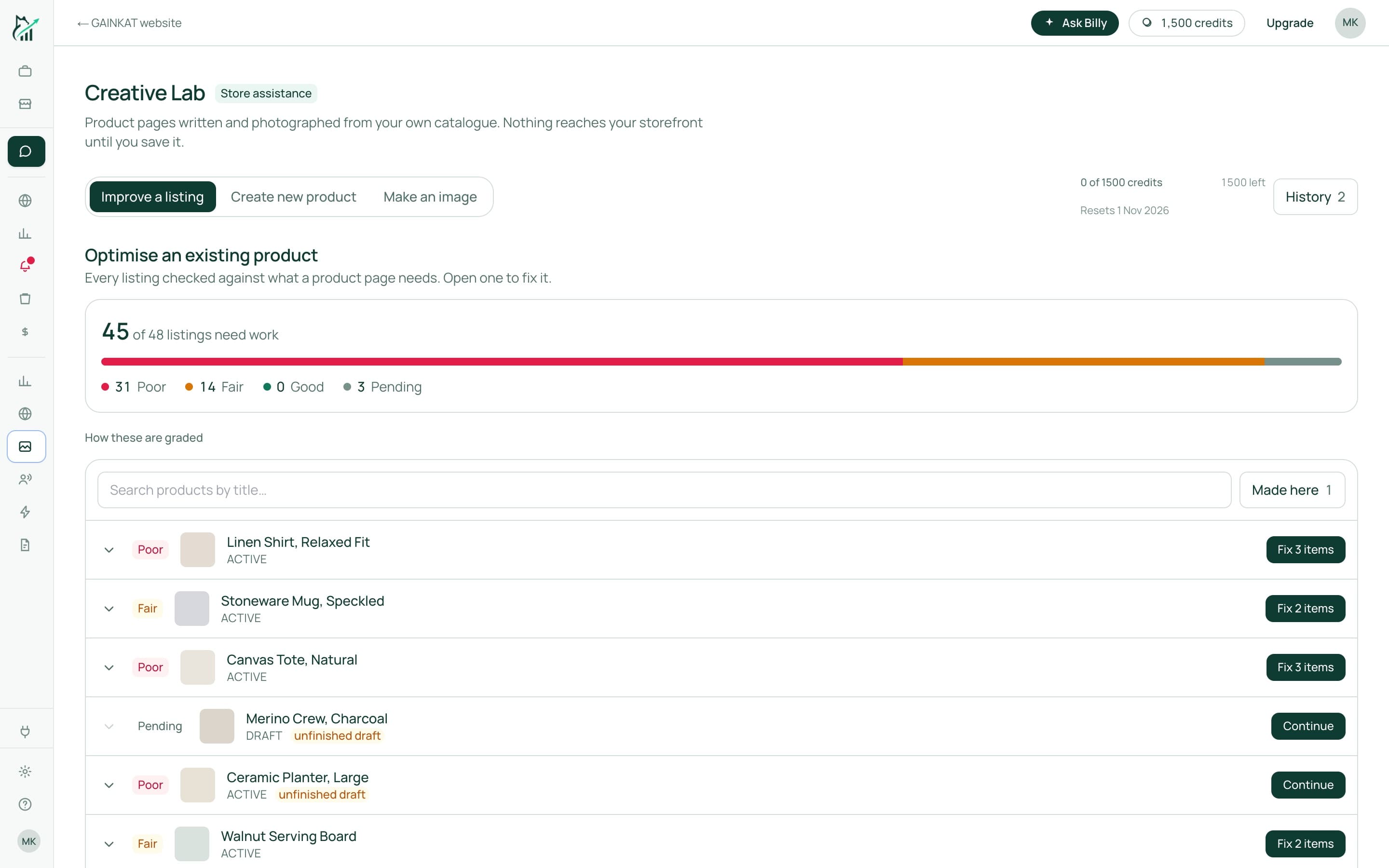
Creative Lab, with an example catalogue.
Every listing, graded.
Descriptions, selling points, images, alt text, tags and SEO titles are checked across the whole catalogue in one pass. Open a listing and see exactly what is missing.
- Search Console shows which pages people find and which they skip
- Fix one listing or work down the list
- Drafts are saved until you finish them
39 of 48 listings need work
21 Poor18 Fair9 Good
An example catalogue of 48 products.
A draft from a brief.
Describe the product in a line or two and get a full page back in your store's voice: title, description, selling points and SEO fields. Edit any part before you save it.
Photos in the scene you choose.
Pick a scene and Creative Lab places your product in it, from the pictures already on the listing. Refine it, then publish the image, with its alt text, to the product.
- Studio, marble, rooms, coast and more
- Uses the product photos you already have
- Paid in credits, published only on approval

Creative Lab’s scene presets. Click one to choose it.
Fix your listings this week.
We'll walk through your store's real numbers with you and show you which orders, products and campaigns make money.